
Ask Buildr to draft it
“Draft an estimate to replace a shower and add an $850 allowance for the glass door.” Buildr Assistant can save an editable draft and leave missing prices for you to fill in.
Buildr connects the customer, estimate, approved work, project details, changes, invoices, and payments so you are not starting over at every stage.
Buildr is made for remodelers, tile and flooring installers, and small trade crews.
“Draft an estimate to replace a shower and add an $850 allowance for the glass door.” Buildr Assistant can save an editable draft and leave missing prices for you to fill in.
Enable automatic time tracking, set up your jobsite, and allow location access on Android. Then ask Buildr Assistant how many hours were logged on that job.
Use Layout to try different starting lines and preview cuts. Use Floorplan to sketch the room and record its dimensions.
Explore LayoutUse only what you need today, while keeping the rest of the workflow ready when the job moves forward.
Capture new inquiries, save the source, schedule follow-up, and move qualified work toward a site visit or estimate.
Keep contact information, job addresses, notes, and project history organized around the customer.
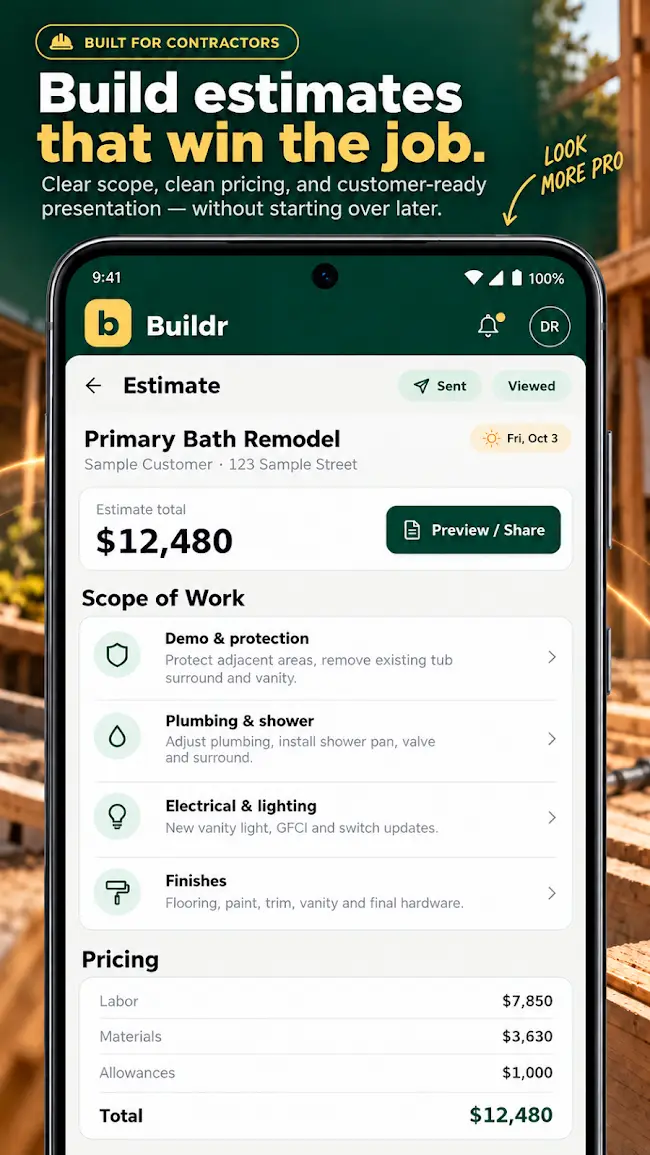
Build clear scopes and organize labor, material, and other costs into customer-ready estimates.
Carry approved work into active projects with schedule, tasks, job information, and financial progress in view.
Document added scope, price it clearly, and keep the approved change connected to the project.
Create invoices, record customer payments, and see open balances without rebuilding the job totals.
Keep job photos and customer-ready documents close to the work they describe.
Track time for active projects and bring tasks, schedules, and the day’s work into one view.
Review project and business financial information without losing the details behind the numbers.
A good estimate should do more than win approval. It should carry useful information into the work.
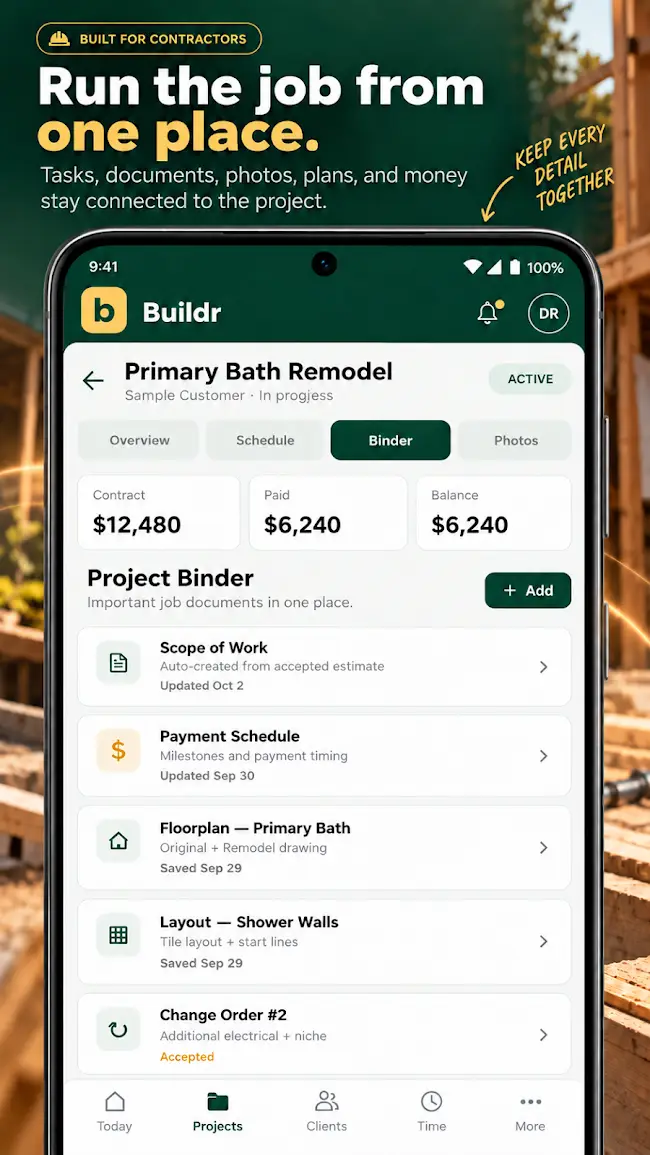
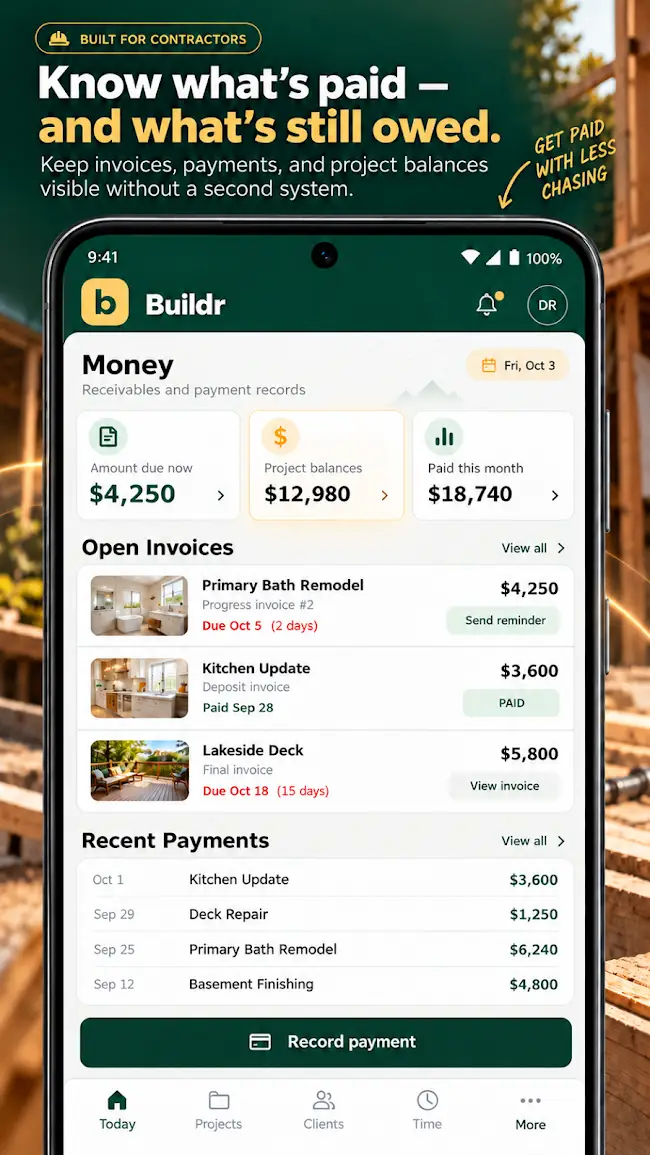
Buildr keeps invoices and payment records connected to the project so the financial picture is easier to understand.
Floorplan and Layout help contractors plan the work before installation and keep those plans available as the job moves forward.


Open Buildr from the web application or install the Android app from Google Play.